Most releases add capabilities. This one changes the foundations those capabilities get built on.
Meridian 2026 is the largest architectural step we have taken in years, and it lands in two places that shape everything we ship next: where your configuration lives, and the framework the user interface is built in.
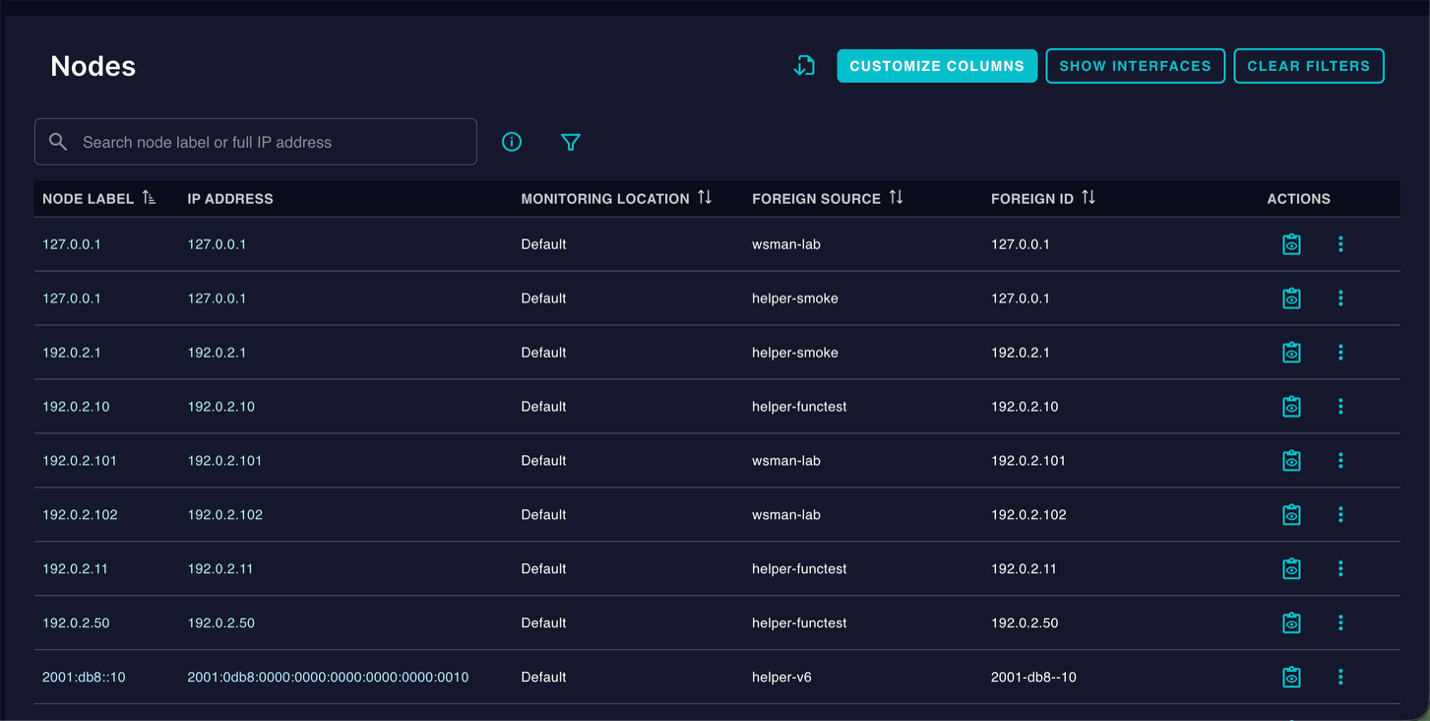
The node list in Meridian 2026 is searchable, sortable, filterable, with customizable columns and one-click export.
Configuration moves closer to the operator
Four of the configuration areas people touch most often no longer live in XML files that have to be hand-edited on the server. Each one now has a real management surface, including a full featured REST API and complimenting UI.
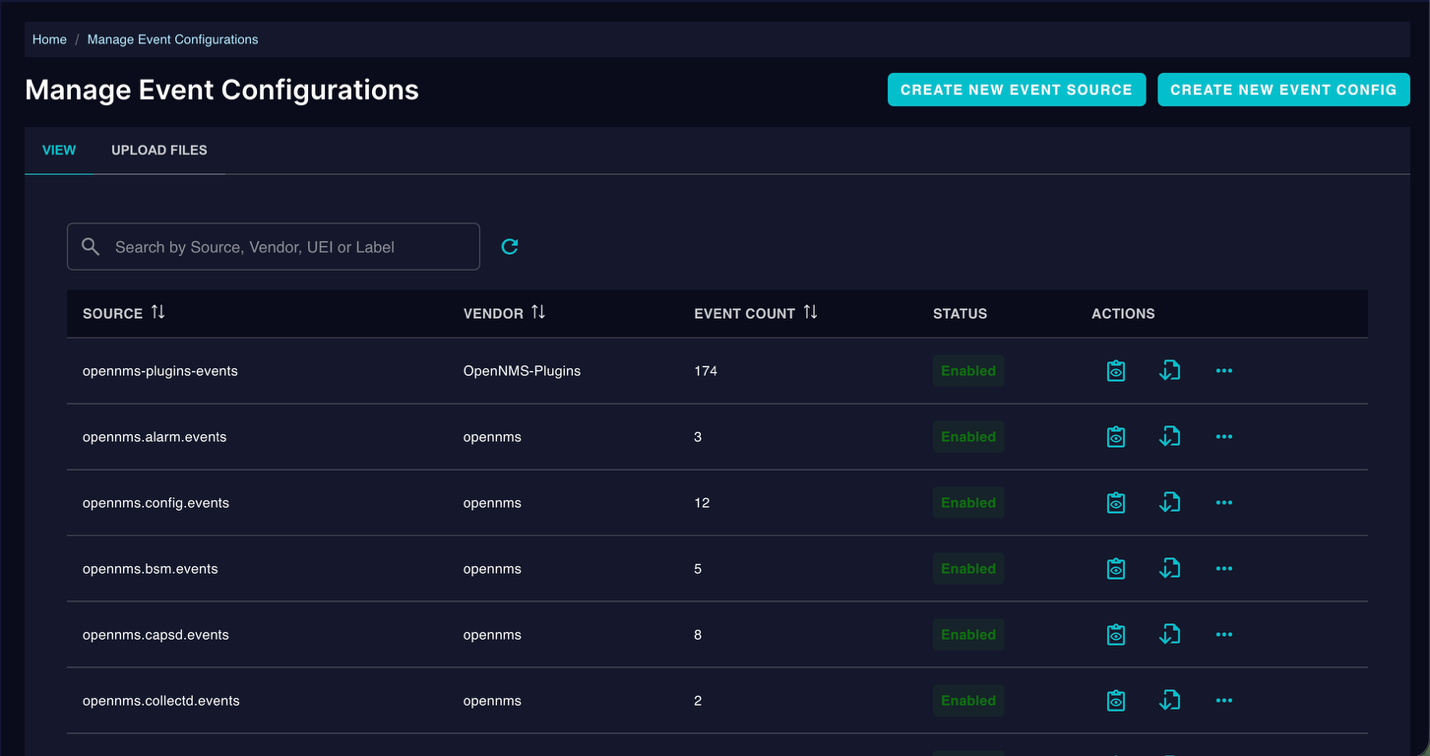
Every event source in one place, with its vendor, event count and status. Create and edit definitions here and the changes apply without restarting Eventd.
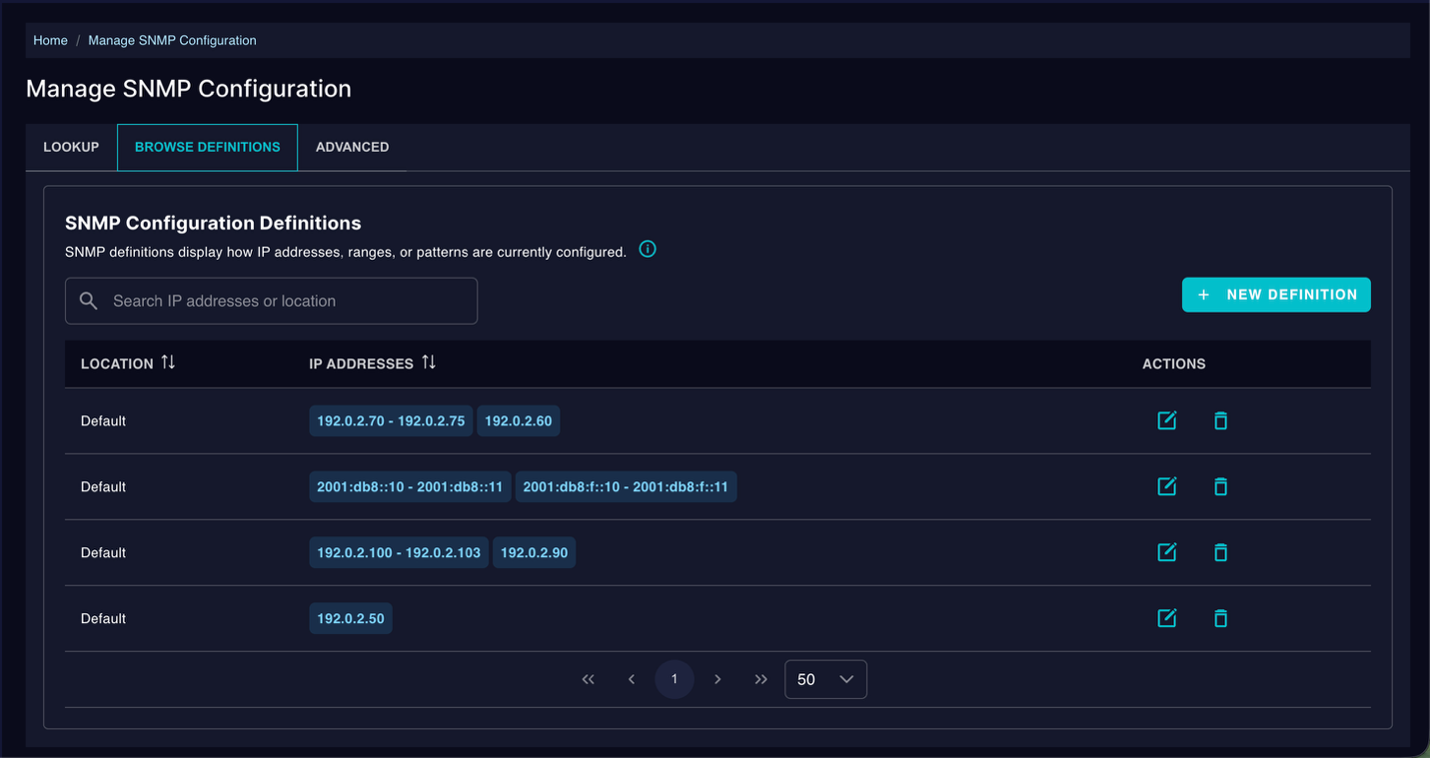
SNMP credentials finally get a management surface. Definitions display as readable IP ranges rather than nested XML, IPv4 and IPv6 sit side by side, and the Lookup tab answers the question that used to require reading the whole file: which definition actually applies to this address?
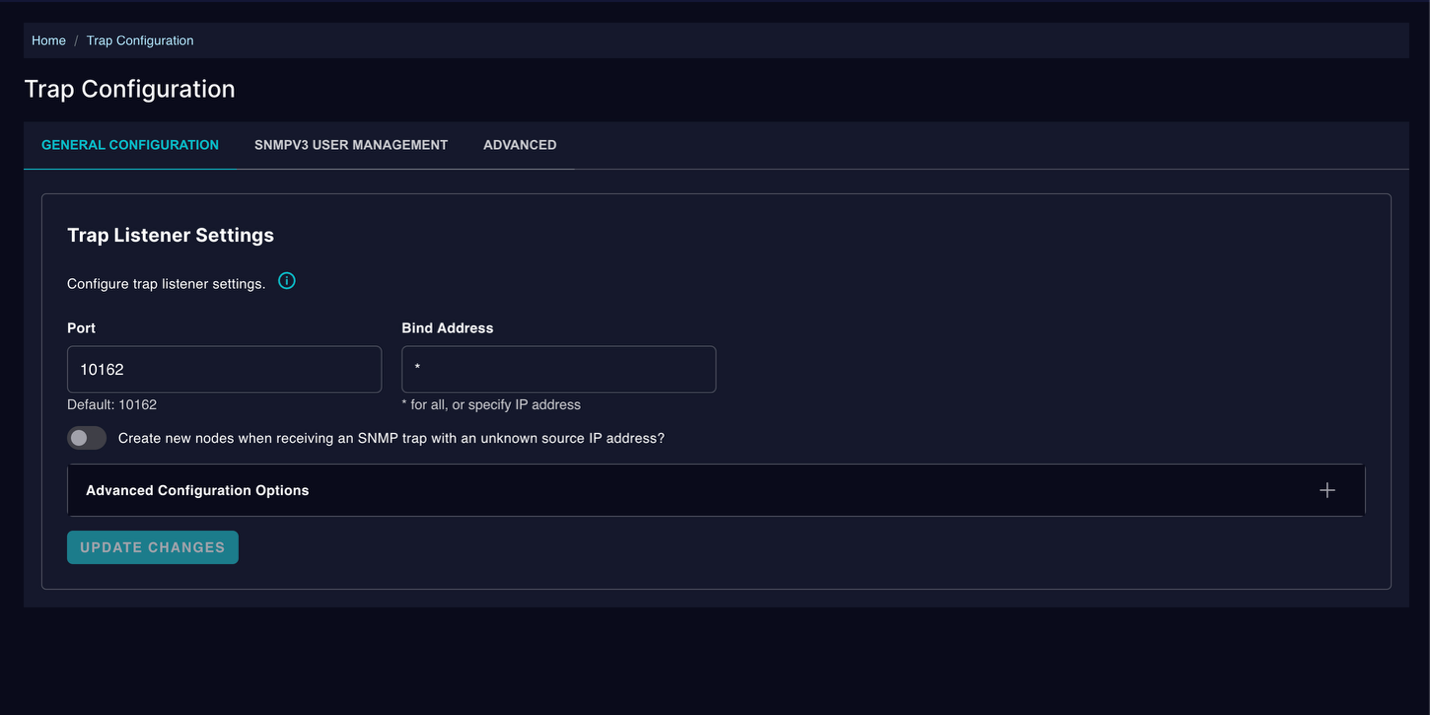
Trap listener settings, SNMPv3 users and advanced options — with the defaults shown inline so you can see what you are changing from.
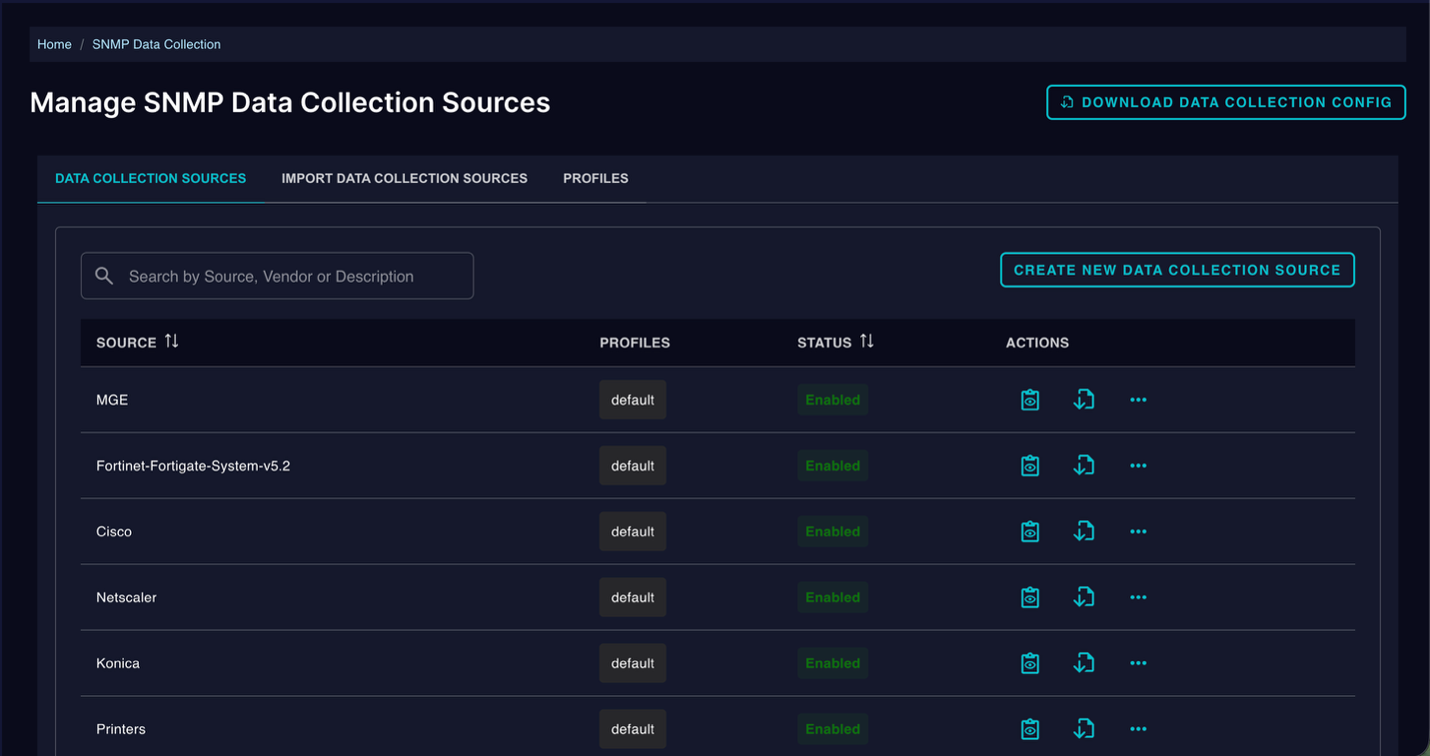
Collection sources, MIB groups, resource types and system definitions, each with its profile and status visible at a glance. Enable or disable a source without touching a file.
Each of these is backed by a REST API, so what you can do in the browser you can also automate. Your existing files migrate into the database during the upgrade.
To be clear about the scope: this is four areas, not all of them. The rest of OpenNMS configuration still lives in XML on the filesystem and behaves as it always has. We picked the four that generate the most day-to-day friction and the most support tickets, and the architecture we built to get them there is something we will continue to utilize and refine as we move forward.
DevOps and GitOps workflows
We know that many of our most prolific users rely on DevOps and GitOps style workflows to manage their OpenNMS configurations. We are already working on additional APIs and tooling to enable those workflows but feedback is welcome. We are already seeing some community efforts towards a “onmsctl” tool and our goal is to get what’s needed into the regular releases for Meridian 2026 this year to support these workflows.
A UI framework built for what comes next
Every screen above is built in our Vue-based interface. The new framework is now where new functionality lands, which means we are no longer splitting effort between a modern UI and an aging one, and we have a single coherent foundation to design against.
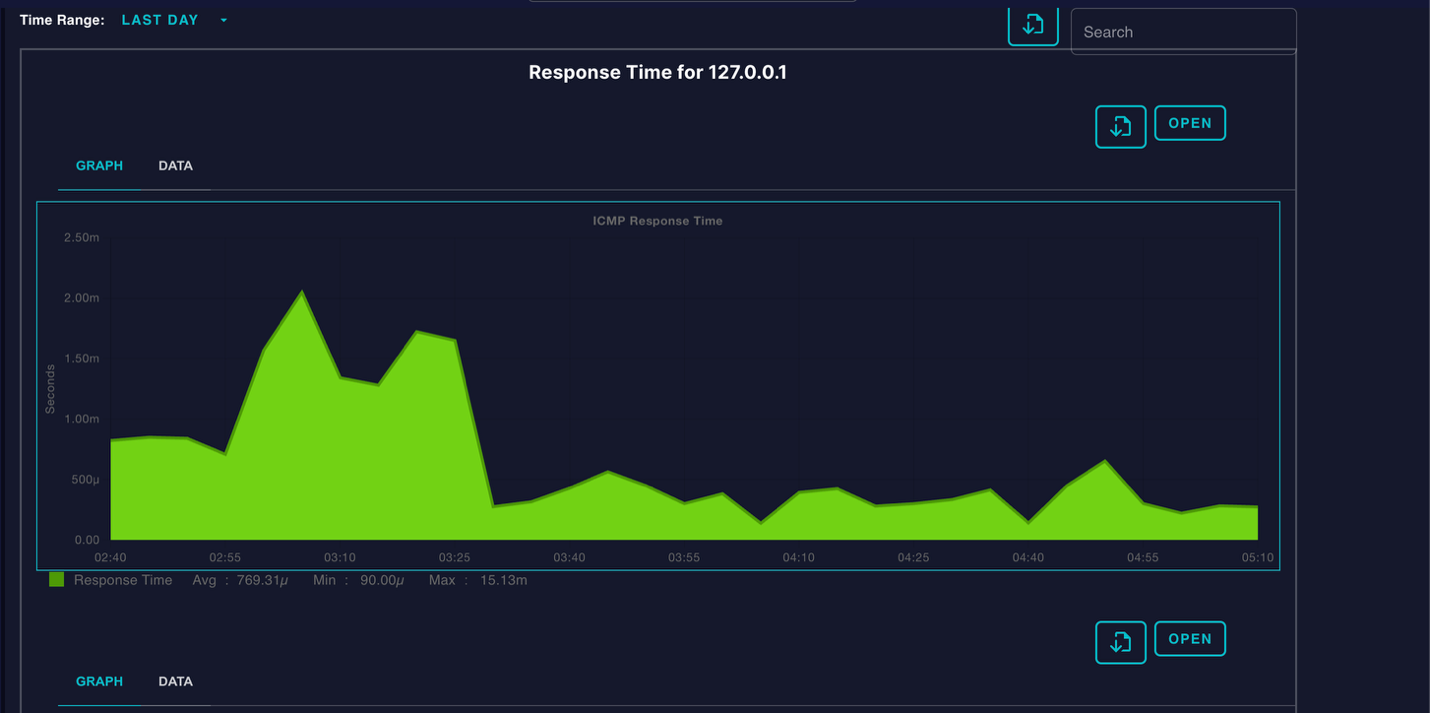
Graphs come with a time-range selector, a Data tab when you want the numbers instead of the picture, and export on every panel.
The interface also picked up a light and dark theme toggle this release, alongside the system-default option (all of the screenshots here are the dark theme).
The new framework has some other benefits too:
- Wider use inside your organization. Work that used to require shell access to the Meridian server can now be done in a browser. That changes who on your team is able to participate in running it.
- Faster iteration from us. Every improvement to the framework compounds across every screen built on it.
Topology redesign preview
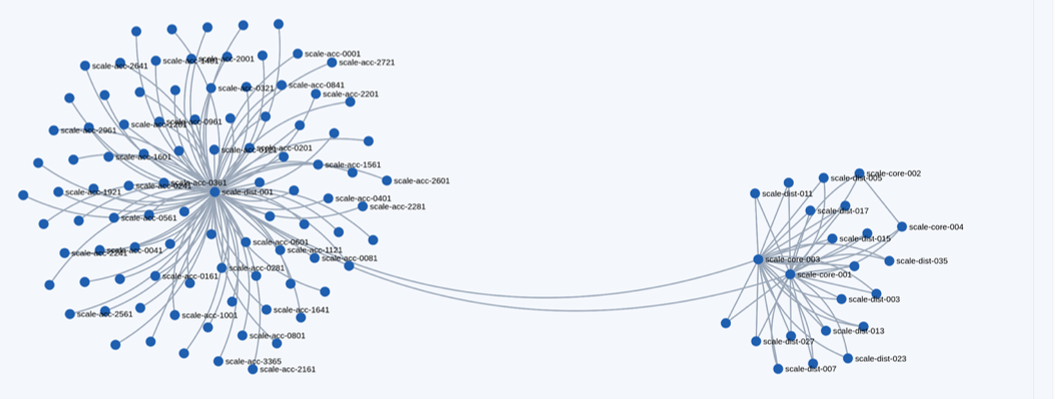
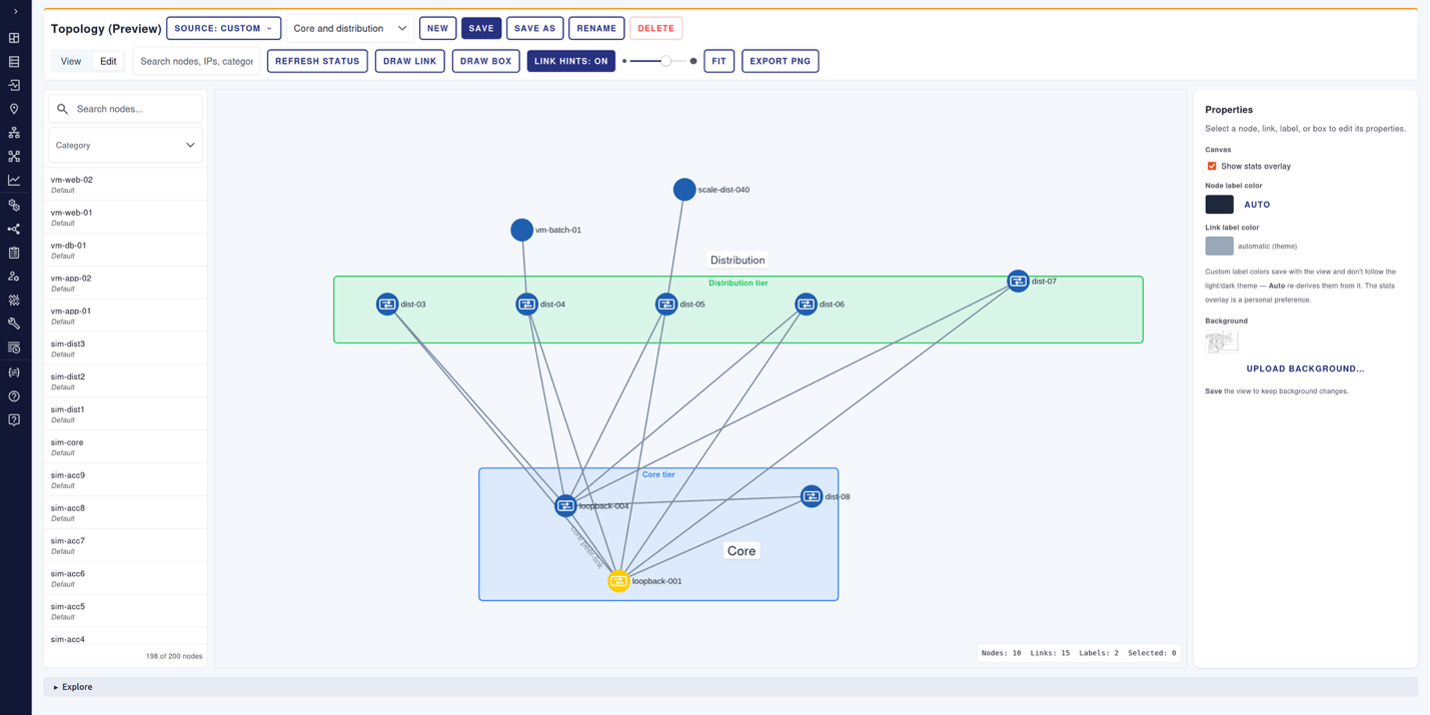
This is the same new framework we are using to redesign the topology views you get out of OpenNMS. You will have a chance to experience the preview of our topology display with modern iconography and new abilities. Some of the new features supported include:
The platform underneath
Meridian 2026 runs on Java 21 and PostgreSQL 14, on stock Spring 5.3, Spring Security 5.8, Hibernate 5.6 and Camel 3.22. The OpenNMS-patched forks of Spring and Hibernate are gone. It's not glamorous work but it will make future security updates and patching a lot easier and faster.
Notifications got the same treatment. Mail now runs on Jakarta Mail with OAuth2 (XOAUTH2) SMTP authentication, which Microsoft 365 and Gmail have made mandatory. And a single webhook strategy replaces the old per-vendor ones, so one mechanism targets Slack, Teams, Discord, Mattermost, or any endpoint that accepts an HTTP request or Webhook.
Also in this release
- Enable or disable individual services with environment variables.
- Minions now handle OpenConfig streaming telemetry, letting you collect it at the edge.
- Ticketing enables itself when you install an OSGi ticketer plugin.
- Installations standardize on a single path, /opt/opennms.
- RHEL 10 is now supported, alongside RHEL 9. Debian support for Meridian is coming.
- The ServiceNow plugin gives you finer control over which events and alarms get forwarded.
Before you upgrade
We support upgrades from both Meridian 2024 and Meridian 2025. Either way, this covers more change than a typical Meridian year, so give the migration more planning time than usual. Your subscription includes support for it, and our team may ask for more detail about your configuration than they normally would.
Four things to check first:
1. Java 21 and PostgreSQL 14 are required. Upgrade both before you upgrade Meridian.
2. RHEL 9 and 10 are supported. If you are on a previous version of RHEL or similar system, you must upgrade to RHEL 9, 10 or a similar distribution.
3. SAML and OpenID SSO have been removed. If you enable SSO through a custom spring-security.d/*.xml file, the web UI will not start after upgrading — and that affects all logins, not only SSO ones. Talk to us before you schedule the upgrade.
4. Your custom event definitions need re-uploading. Core events migrate automatically; your customized event files land in etc_archive/events/ and go back in through the UI or the API.
JRobin, WMI, the Ops Board and Wallboard, and several older notification strategies are also gone. The full list is in the release notes.
See it for yourself
Read the Meridian 2026 release notes for the complete picture or contact us if you want a walkthrough or help planning your upgrade.
Still on Meridian 2024? It is approaching end of life (middle of 2027), so this is a good moment to plan your path forward and going straight to 2026 puts you on supported footing for the next three years rather than one. It is a larger jump, which is exactly why it is worth starting the conversation now instead of getting closer to the deadline. Talk to us about your upgrade now!
Jump to section
About the Author: Marshall Massengill